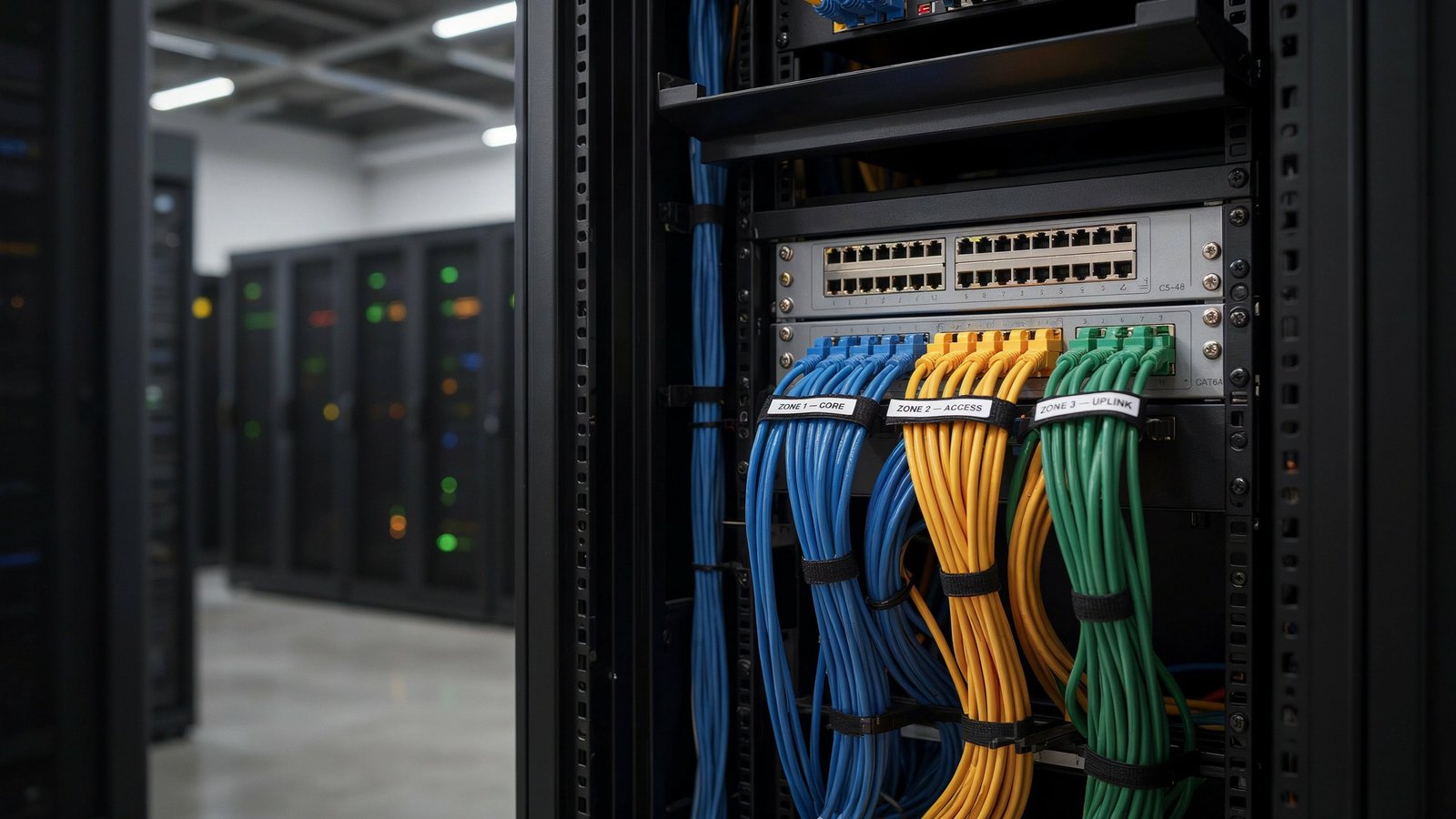
People typically buy a patch panel by a combination of the number of ports and the cost. The real uses are where it can fit into your cabling, and where you can replace it without any risk. Here are some simple things to think about when making that decision, then an overview of the types, specs and installation procedures that will make a network easy to manage.
How does the Patch Panel work?
A patch panel is a single, passive board that mounts to a rack and connects to the equipment that requires the ports, and the building’s fixed cabling. The electrical cables that go to the wall outlets extend from the back of the panel. A short patch cord is used for connecting front ports to switches, routers or firewalls.
There are two clarifications to avoid common mistakes:
- It doesn’t handle traffic. A standard panel has no electronics within. The panel only sets up the physical connection to the data, not the switch determination.
- The idea predates networking. The name comes from early telephone and radio work, where staff physically patched equipment in and out. Audio studios still use patch bays, sometimes called jack fields, for the same purpose.
The Three-Zone Model (Original Framework)
Every structured cabling system can be split into three zones. Thinking in zones tells you what to touch, and how often.
| Zone | What it contains | How often you should touch it |
| Zone 1: Permanent link | In-wall or in-ceiling cable from outlet to the back of the panel | Almost never |
| Zone 2: The panel | Terminations on the back, ports on the front | Rarely, mainly for repairs and upgrades |
| Zone 3: Patch cords | Short cables from panel to switch, and from outlet to device | Daily, whenever people move or equipment changes |
The rule: all routine change should happen in Zone 3. If you find yourself opening a wall or re-terminating a cable to move a desk, the system is missing a panel or is poorly laid out.
This is why panels reduce long-term cost. A move-add-change job without a panel can mean pulling a long cable back to its source. With a panel, it is one patch cord moved from one switch port to another.
How the Hardware Works
Inside a typical copper panel, the back has insulation-displacement terminals where each conductor of the permanent cable is pressed in. The front has RJ45 sockets. The panel carries the signal between the two, and a patch cord completes the link to the device.
Panels commonly come in 12-, 24- and 48-port sizes, though the count is limited mainly by rack space. A small home network rarely needs more than eight ports.
Panel types by medium
- Twisted-pair copper: the standard for Ethernet in offices and homes.
- Fiber: holds connectors or cassettes for single-mode and multimode links, sometimes called an optical distribution frame.
- Coaxial: found mostly in video and audio installations.
Structured wiring in new homes has also made panels a common feature of domestic installations, not just offices.
Choosing a Panel: Five Questions in Order
Answer these before comparing products.
1. Which cable is already fitted in the wall?
Plug the panel into the category installed: Cat5e, Cat6 or Cat6A. You cannot get more than one cable strength; the weakest link determines the overall strength. Cat6A is a premium for newly constructed applications which support speeds of 10 Gbps over 100 m.
2. Keystone or punch-down?
The removable jack modules are housed within a keystone panel which allows one port to fail without the need to replace the entire panel. For larger runs of identical and non-changing drops, the conductors can be terminated directly to the punch-down board. When installed properly, either type can meet the specification.
3. Shielded or unshielded?
With unshielded, offices generally perform well. Use shielded in locations where electrical noise is an issue, such as industrial areas or in cable assemblies. Shielding is only effective if the entire path is shielded, and the shield is connected to the ground. This is, quite often, a shielded panel and patching in unshielded jacks would negate all of the advantages.
4. How many ports, and how much rack space?
Include spare capacity to the count of current drops. Consider rack height (1U or 2U) and cable management bars.
5. Loaded or empty?
A pre-loaded panel speeds up repeated cabinet builds with matched parts. An empty keystone panel gives you freedom to mix jack types.
Quick-Reference Specification Guide
| Scenario | Panel to consider |
| Small office, Cat6 cable, modest growth | 1U keystone panel, unshielded jacks |
| New build planning for 10G | Cat6A panel sized for the full drop count |
| Electrically noisy environment | Shielded Cat6A panel with a grounding point |
| Dozens of identical, stable workstations | Punch-down panel |
| Fiber backbone | Fiber panel or enclosure |
Note: Cat6A may also need a staggered-layout panel to reduce alien crosstalk between the adjacent cables when operating unshielded Cat6A at 10G. Always make sure to read the manufacturer’s rating and not just the category label.
Installation Habits That Prevent Future Faults
Hardware is not as important as workmanship. The majority of failures with certification are due to handling.
- Respect bend radius. Avoid tight angles of less than 4 times the diameter of the cable (8 times the diameter of shielded cable).
- Maintain consistency of the system. Employ the matched part of cable, jacks, panel and cords to make the link behave as designed.
- Brain control for the Internet. Devices with higher power, like cameras and ceiling access points run hotter. The thicker the Cat6A cable, the lower the heat build up.
- Have some slack in Zone 3. The length of patch cords should not be tight, and not long enough to cause them to twist.
Labeling: The Habit That Pays Off During Outages
A labelled panel transforms a mystery into a lookup! Apply one scheme throughout the project, such as:
- Make a copy of that label and paste it on the wall outlet and the corresponding panel port.
- Indicate function: users, wireless connectivity, cameras and uplinks with colour.
- Document the label on a common spreadsheet by its switch port.
- If the record isn’t updated every time it changes, it is misleading.
Labeling is additionally tidied, which aids security. Unexpected or unauthorized connections stand out in a well-organized panel.
Five Frequent Mistakes
- Over-specifying the category. Cat6A hardware on Cat6 cable raises cost without raising speed.
- Mixing shielding approaches within one link.
- Forgetting the ground bond on shielded installations.
- Treating the panel as a speed fix. It cannot compensate for a weak switch or damaged cable.
- Skipping documentation, which makes the next technician start from scratch.
Bonus: Audio Patch Bays
Studio patch bays follow the same zone logic but add a wiring concept called normalling. In a half-normalled bay, the top and bottom jacks are connected internally until a cord is inserted. Plugging into the top jack taps the signal without breaking the link. Plugging into the bottom jack breaks the link and substitutes the new source. A fully normalled bay breaks the link on both rows. Knowing which type you have prevents confusing signal behavior.
Contribute to This Guide
TechVistora welcomes practitioner input for future updates:
- Cabling installers: real certification failures and the fixes that worked.
- IT managers: labeling systems that survived staff changes.
- Audio engineers: Different studio workflows – normalling setups.
- Fiber technicians: Enclosure layouts and connector options.
Contributors whose work is accepted get a byline and link in the guide.
Summary
A patch panel isn’t simply tidiness of the cables. It establishes a stable boundary to allow for changes every day in the patch cords with no changes in the permanent cabling. Match the cable to the panel, select termination and shielding purposefully, label all ports and the system will remain easily changeable over many years.



